
Audio Embed By Audio ID
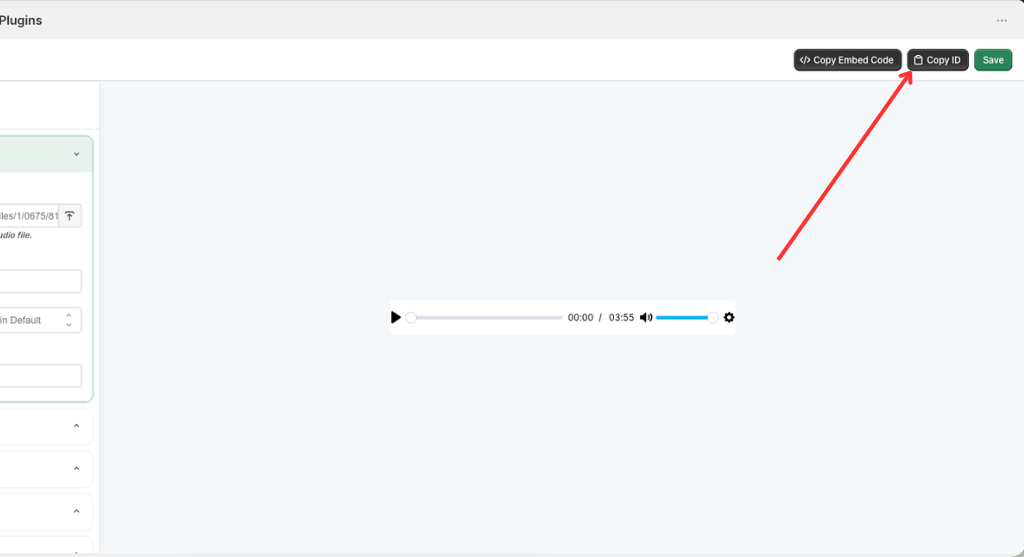
First Copye the Audio ID , Please Follow the secreenshot’s
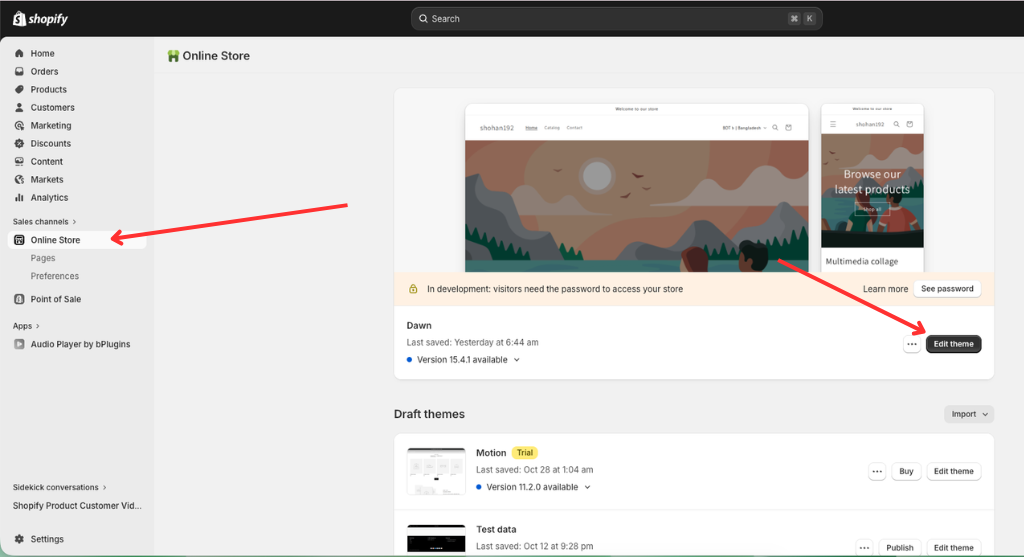
Now click on “Online Store” and go to that page. Next, click on the “Customize” button.
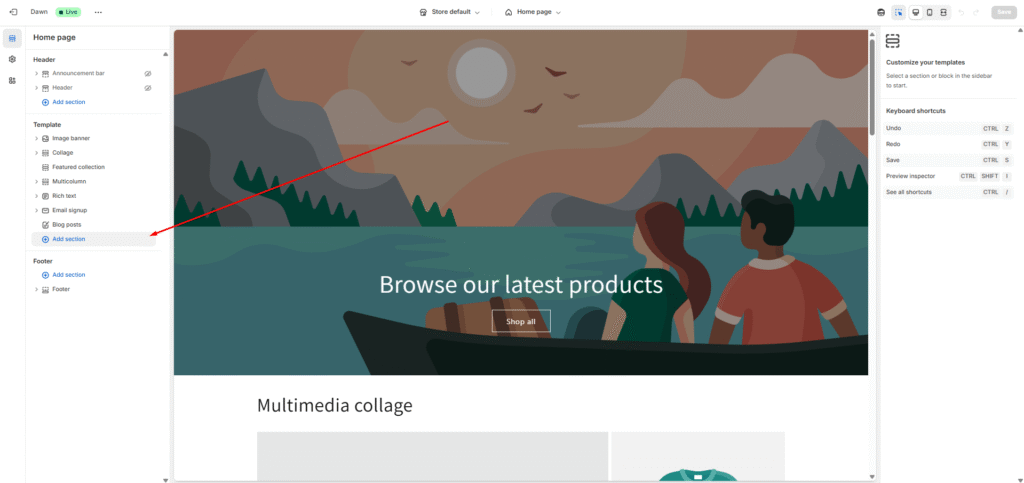
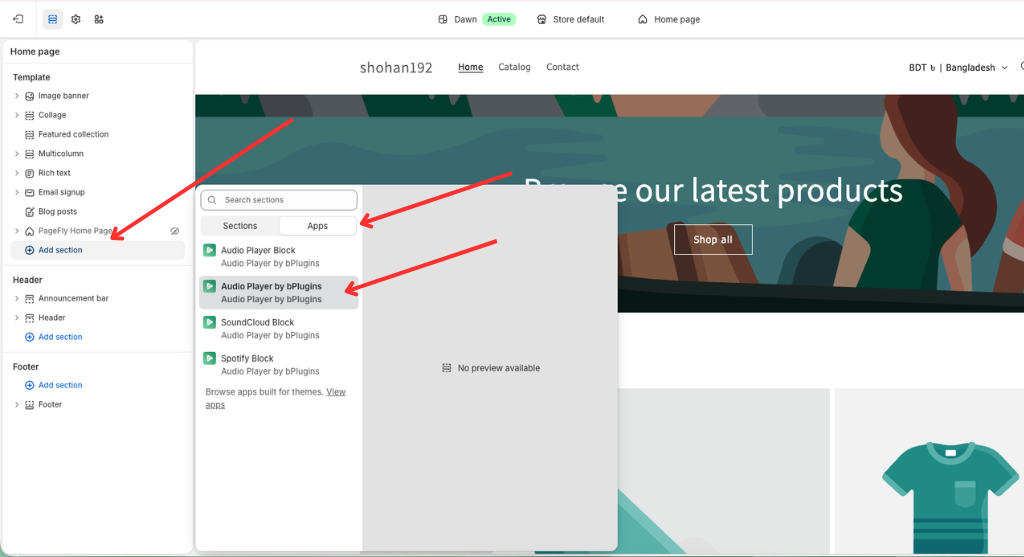
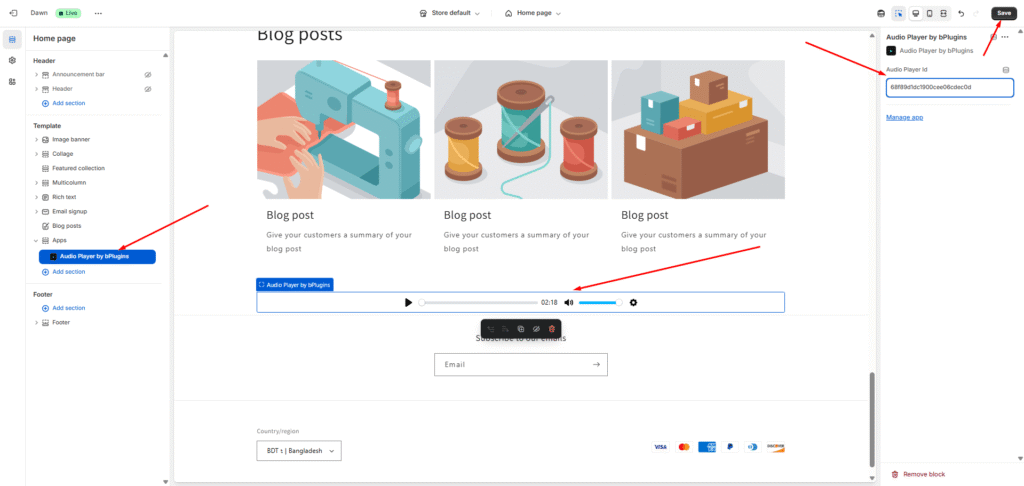
Add a new section, choose “App”, and then select the “Audio Player by bPlugins” app extension.
You’ll see an input field labeled “Audio Player ID” — paste the copied Audio ID there. You should now see your audio player appear.
Finally, click Save, then click the three dots in the top-left corner and select View to preview your store.
Was this page helpful?