
Single Video Player
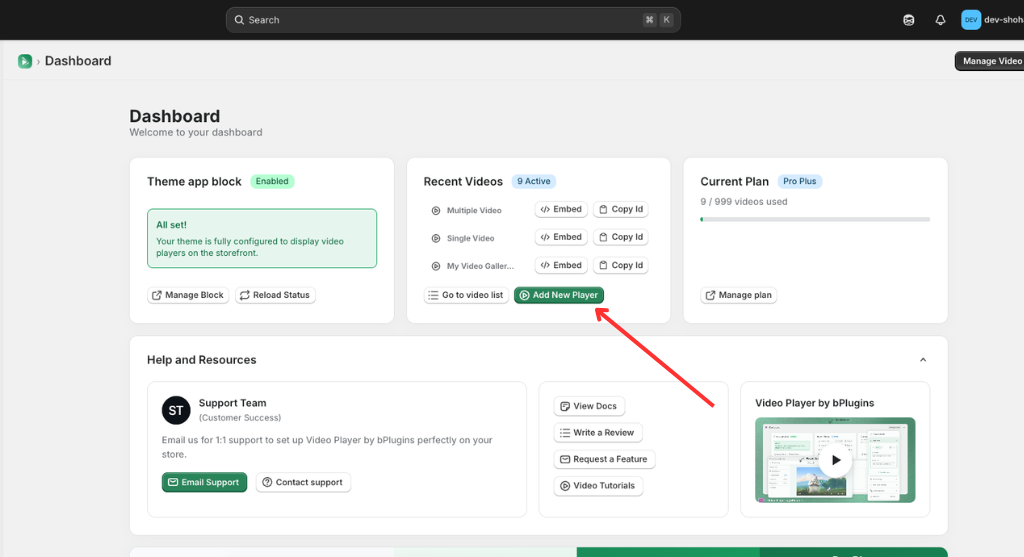
1. Click on “Add New Player”
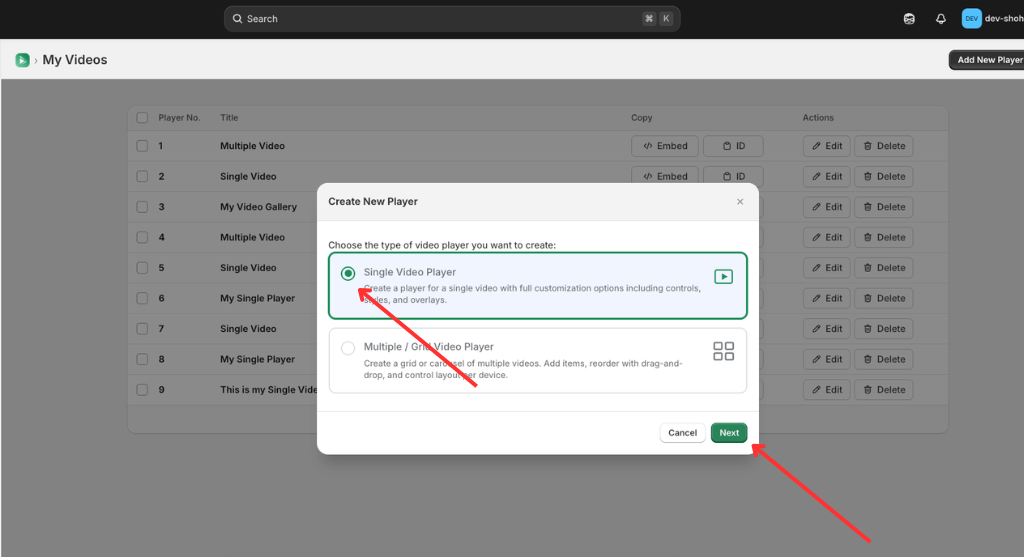
2. Click the marked point to select Player type “Sigle Video Player”.
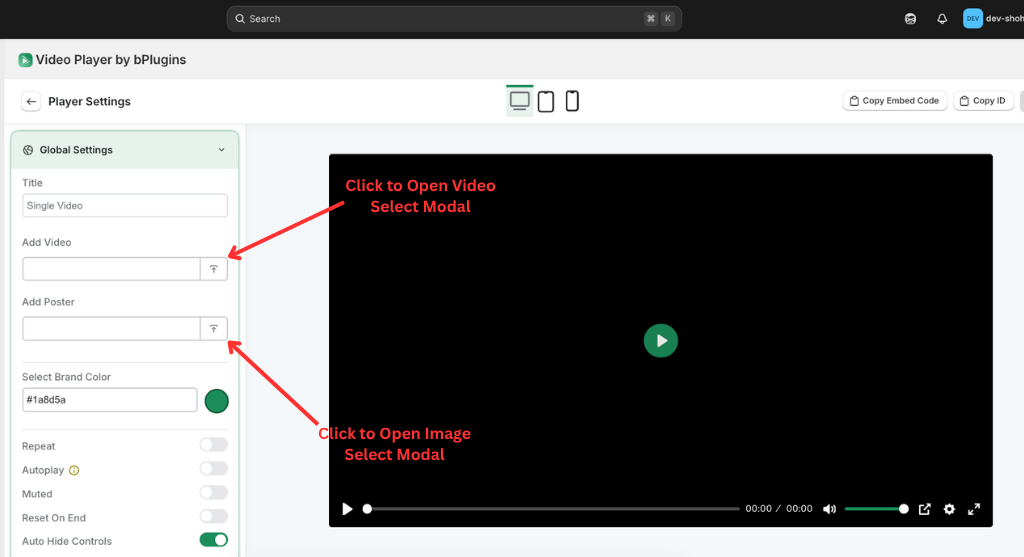
3. Click on Upload Button and Select/Upload the Image/video or past image/video url on the input.
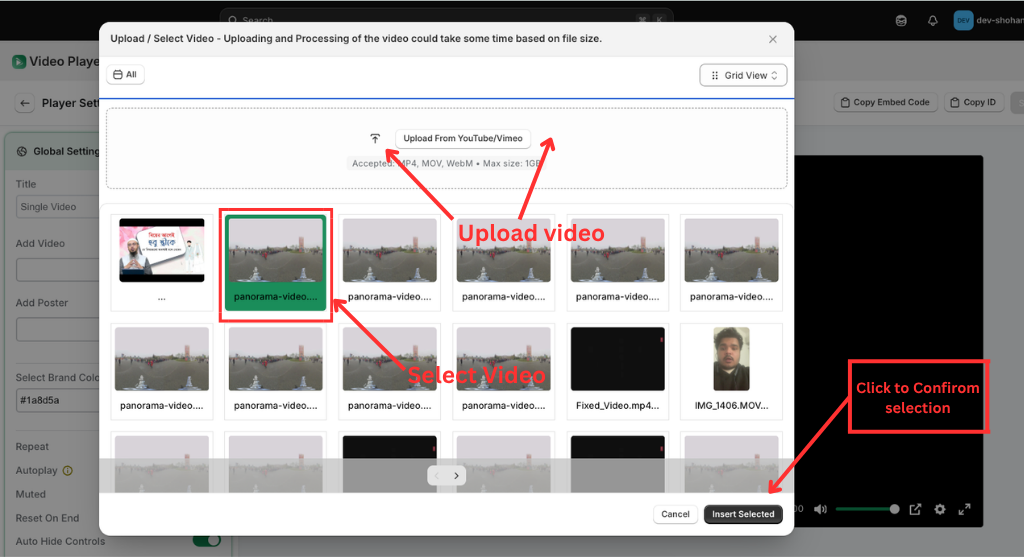
4. After uploading the video/image, click “Insert selected” to proceed to the next step.
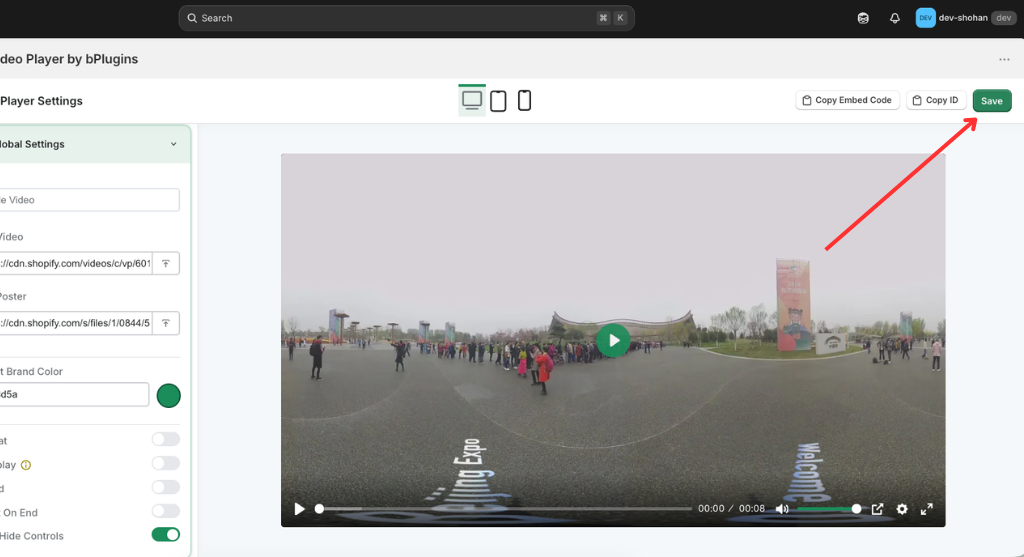
5. If all information is updated, click on “Save” and Save all updated information/data.
Was this page helpful?