
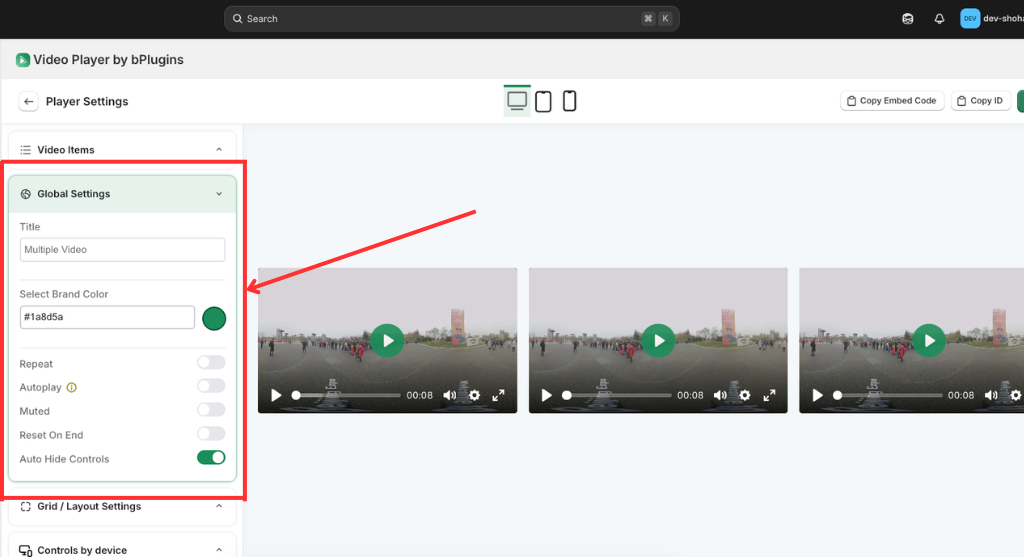
Global Settings
The Global Settings for multiple videos allow you to manage the collective identity and behavior of your gallery or playlist in one place.
- Unified Branding: Use the Select Brand Color picker to apply a consistent theme color to all play buttons and progress bars across every video in the set.
- Gallery Identity: Define a Title (e.g., “Multiple Video”) to easily identify and manage your video collections within the app dashboard.
- Global Playback Logic: Toggle essential behaviors like Autoplay, Muted, and Repeat that will apply to every item within the gallery.
- Streamlined UX: Enable Auto Hide Controls to ensure a clean, distraction-free viewing experience that focuses entirely on your visual content.
Was this page helpful?