
Video Show by Video ID
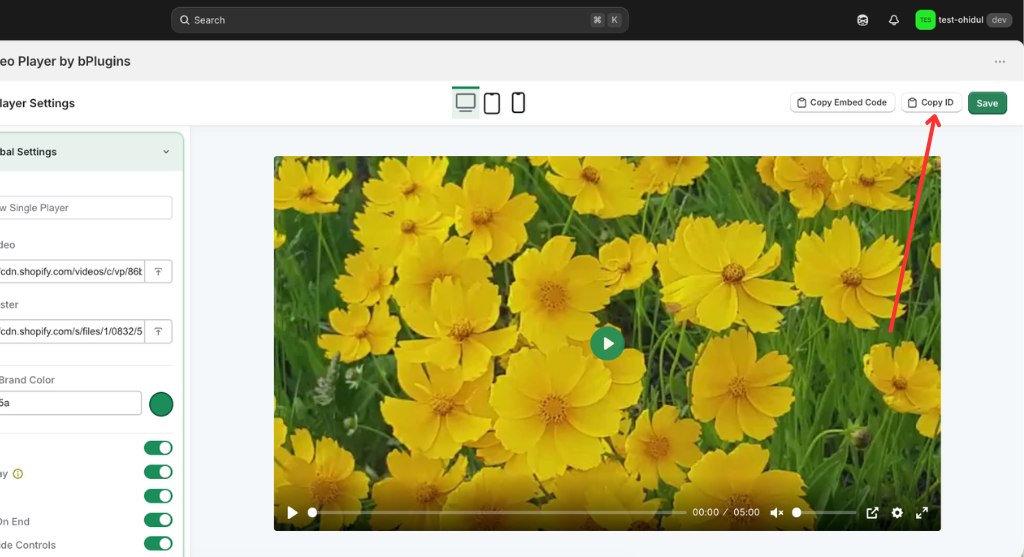
1. Click “Copy ID” to copy the Video ID.
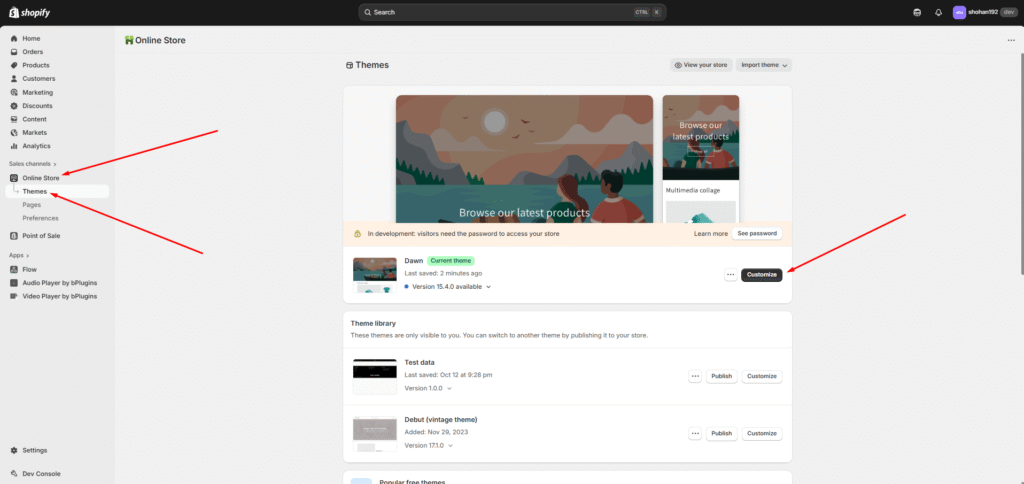
- Click “Themes” to access all theme options.
- Click “Customize” to open theme Customize options.
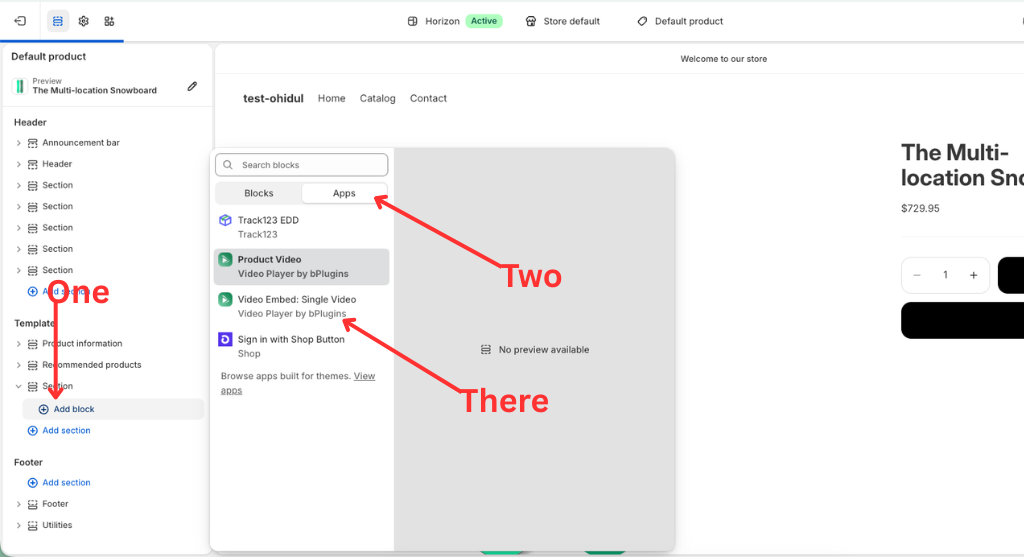
- Click “Add block” to insert a block.
- Click “Apps” to select my app block.
- Please select my app block “Video Embed: Single Video”
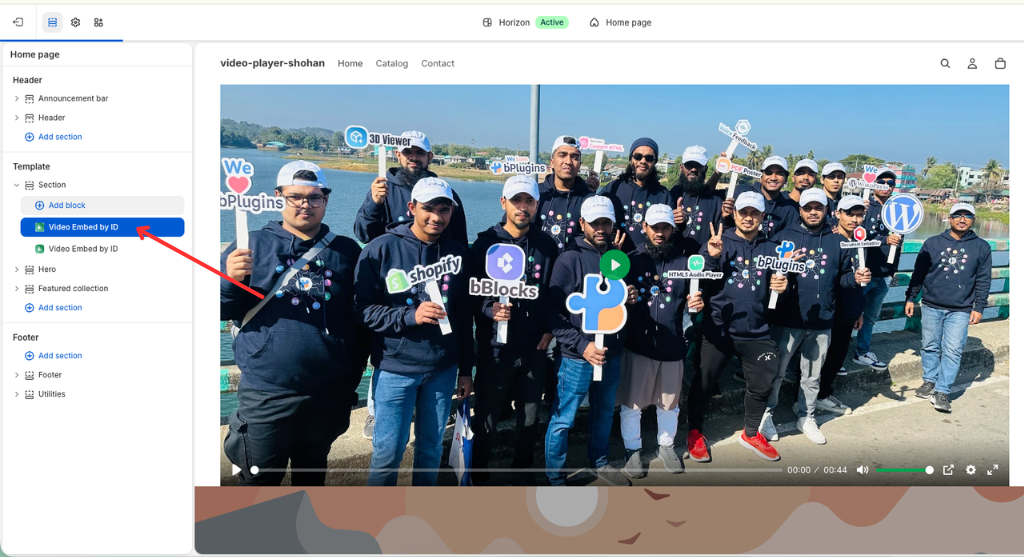
Here is the documentation for the Video Embed: Single Video integration in Shopify:
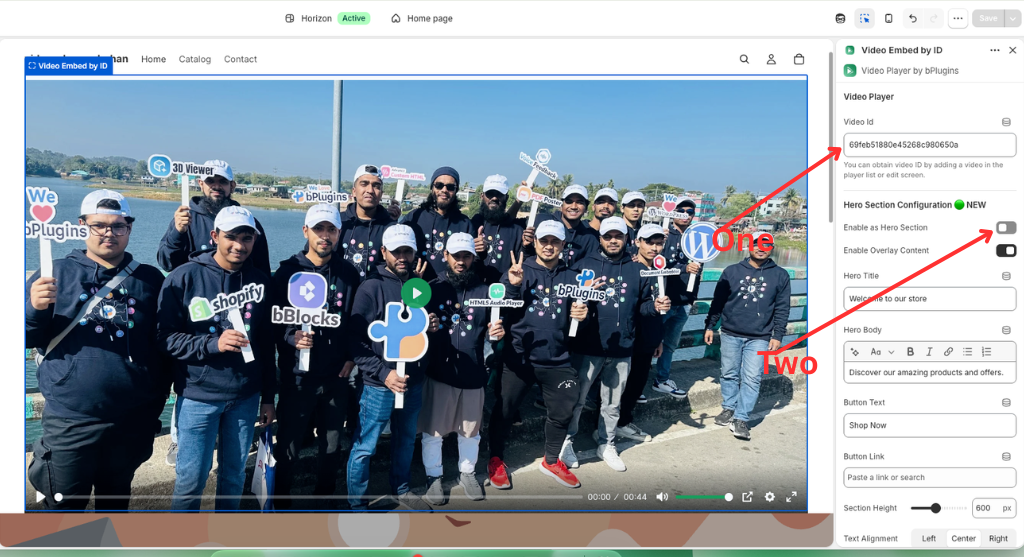
- Video ID Integration: Connect your custom player by pasting the unique Video Id generated from the bPlugins dashboard to sync all global and advanced settings.
- Hero Section Configuration: A new feature that allows you to transform the video player into a full-width Hero Section, specifically designed for high-impact landing pages.
- Dynamic Content Overlays: Enable Overlay Content to add a Hero Title, Hero Body (with rich text editing), and a customizable Call-to-Action (CTA) Button directly over the video.
- Shopify Theme Seamlessness: Integrated as a native Section within the Shopify Theme Editor, allowing you to drag-and-drop the video player anywhere within your store’s layout.
Was this page helpful?