
Controls
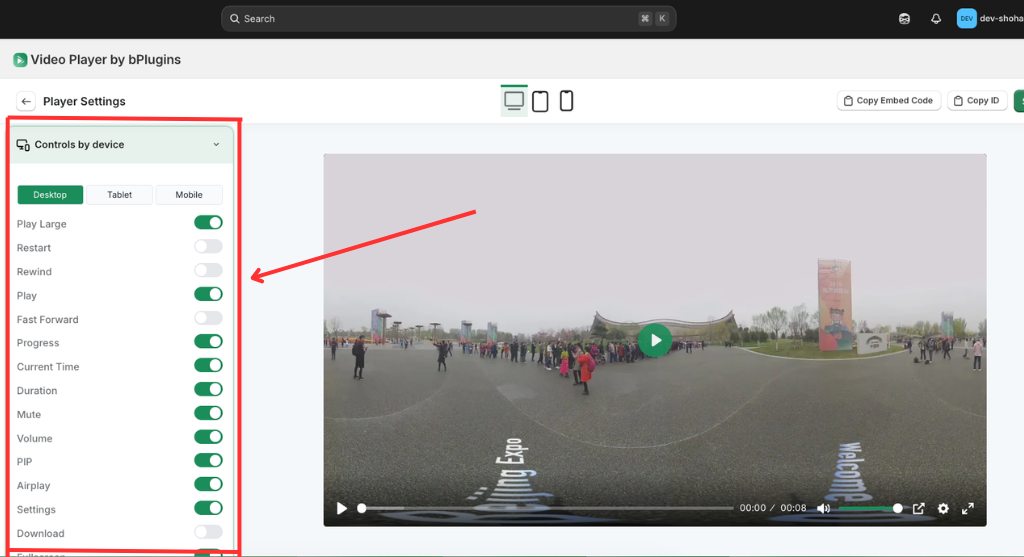
The Controls by Device section provides granular control over the player’s interface, allowing you to toggle specific UI elements like Play Large, Progress, Volume, and PIP for a custom viewing experience. It features a tabbed switcher for Desktop, Tablet, and Mobile, enabling device-specific configurations to optimize usability across different screen sizes. By enabling or disabling these switches, you can streamline the player controls or add advanced features like Airplay, Settings, and Download buttons.
Was this page helpful?