
Video Show on Product Page
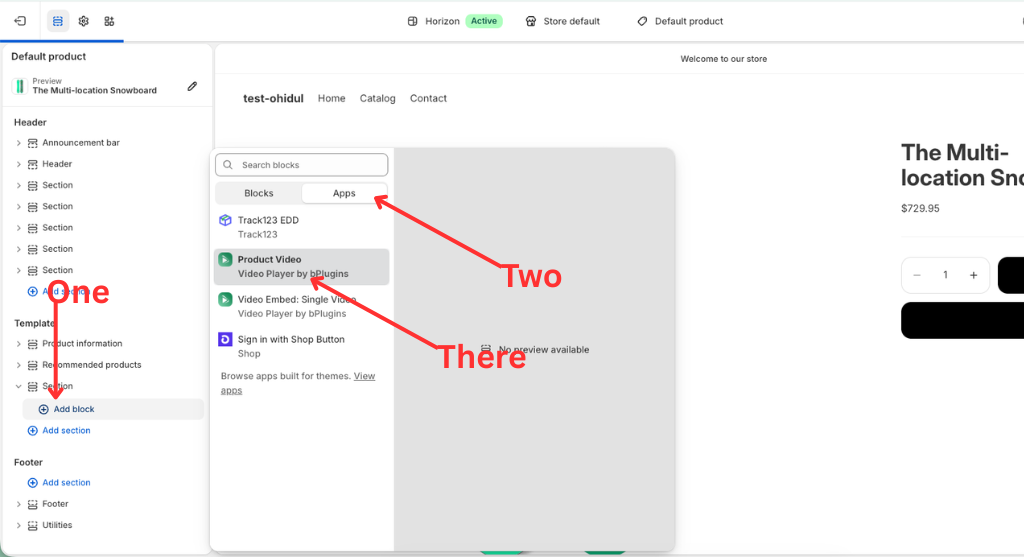
- Click “Add block” to insert a block.
- Click “Apps” to select my app block.
- Please select my app block “Product Video” from Video Player by bPlugins.
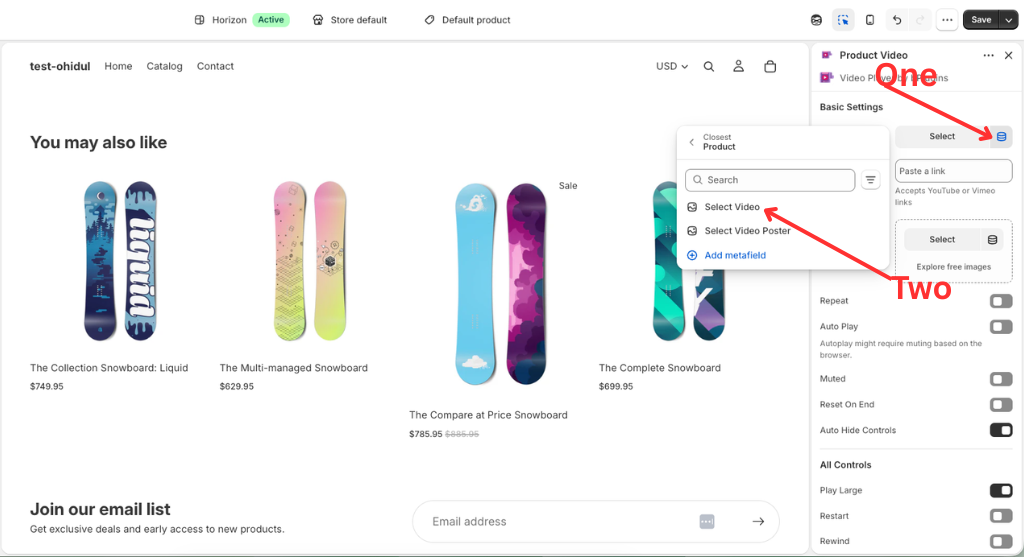
Click “Video” dynamic source and select Product Video.
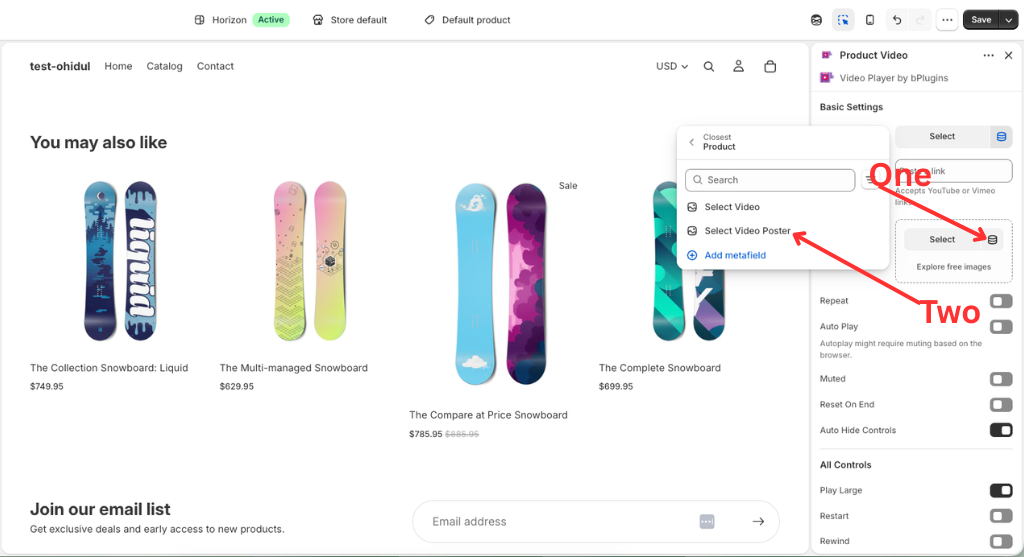
Click “Video Poster” dynamic source and select Product Video Poster.
Was this page helpful?