
Controls
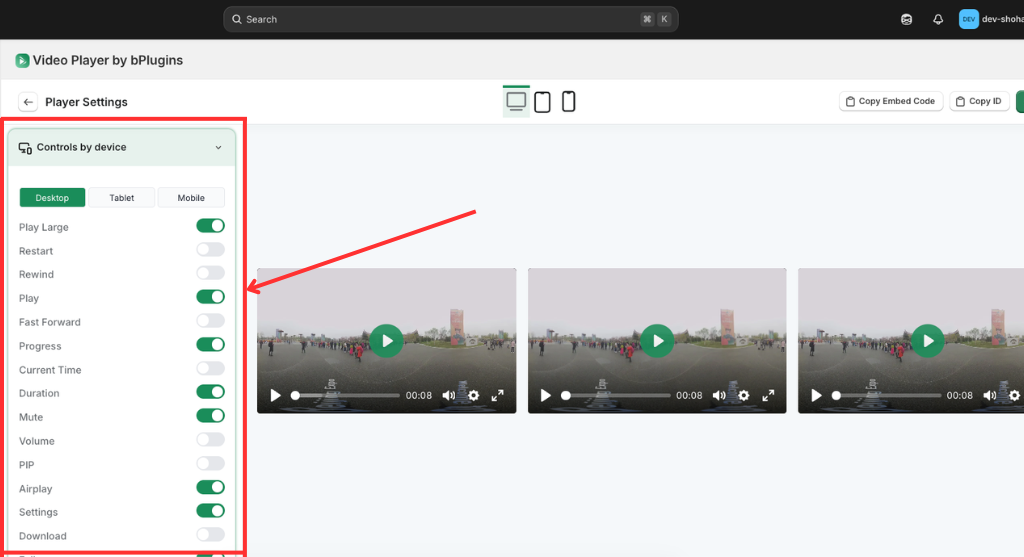
The Controls by device section for video galleries allows you to customize the interface features for every video in the collection based on the viewer’s screen.
- Responsive Control Sets: Use the tabbed switcher to define unique layouts for Desktop, Tablet, and Mobile devices to ensure optimal usability.
- Essential Playback Toggles: Enable or disable core functions like Play, Progress, Volume, and Duration to create a clean or feature-rich player.
- Advanced Features: Toggle specialized tools such as PIP (Picture-in-Picture), Airplay, and Settings to provide high-end functionality for tech-savvy users.
- Navigation & Discovery: Control visibility for Restart, Rewind, and Fast Forward options to help viewers navigate through each video in your gallery seamlessly.
Was this page helpful?